Order buyer and recipient
Sometimes one person places the order and another one picks up the parcel: a gift, an order for a relative, a corporate purchase. For this, the order edit page (Orders → open an order) has the checkbox "This buyer is not the recipient of the order".
How it works
- By default the checkbox is off and the buyer is considered the recipient — no extra form is shown and no space is wasted.
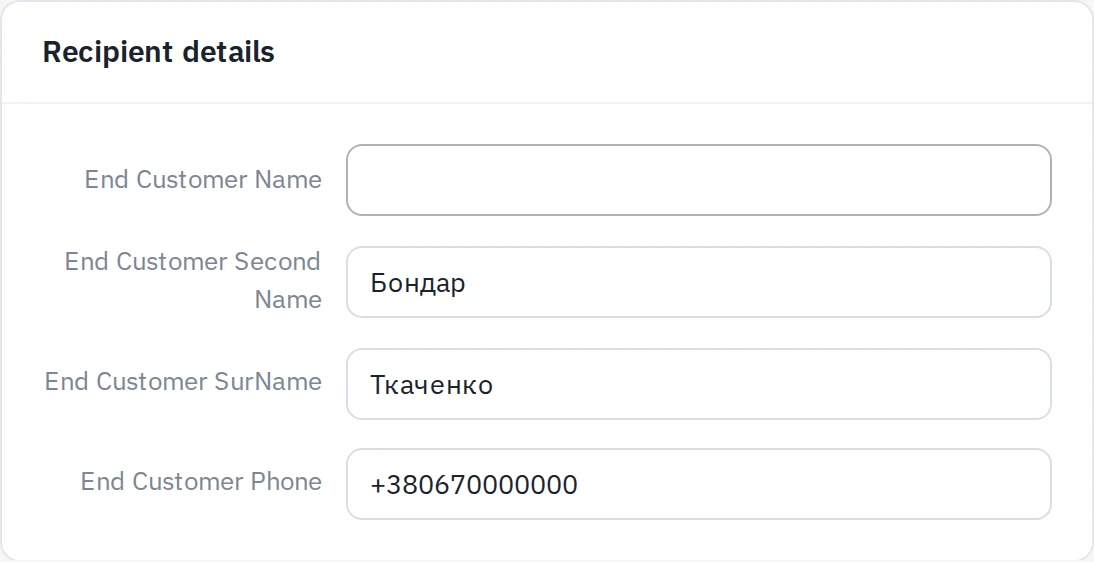
- If someone else receives the parcel — tick the checkbox. The "Recipient details" form appears: first name, last name, middle name, phone.
- The fields are prefilled with the buyer's data right away — so instead of typing everything from scratch you only correct what differs (for example, just the name and phone).
- Save the order.
Empty fields are not a problem
Even if you tick the checkbox and leave the fields empty, the system fills in the buyer's data automatically on save. The recipient is never "blank".
Nova Poshta integration
The Nova Poshta module respects these fields when creating the electronic waybill:
- if the checkbox is on and the recipient details are filled in — the waybill is issued to the recipient (their name and phone);
- if the checkbox is off — the waybill is issued to the buyer, as usual.
See also: Nova Poshta — creating a waybill.