Courier delivery and saved addresses
When a customer picks Nova Poshta in the cart, the module shows its own delivery block: a city search, a type switch and the matching fields for the chosen type. Three types are available — branch, parcel locker and courier to the door. A logged-in customer also sees the branches they used before and can pick one with a single click instead of searching again.
Delivery types in the cart
| Type | What the customer fills in | What the order stores |
|---|---|---|
| Branch | city → branch from the list | city + branch |
| Parcel locker | city → locker from the list | city + locker |
| By courier | city → street, house, flat (optional), delivery note (optional) | city + street + house + flat + note |
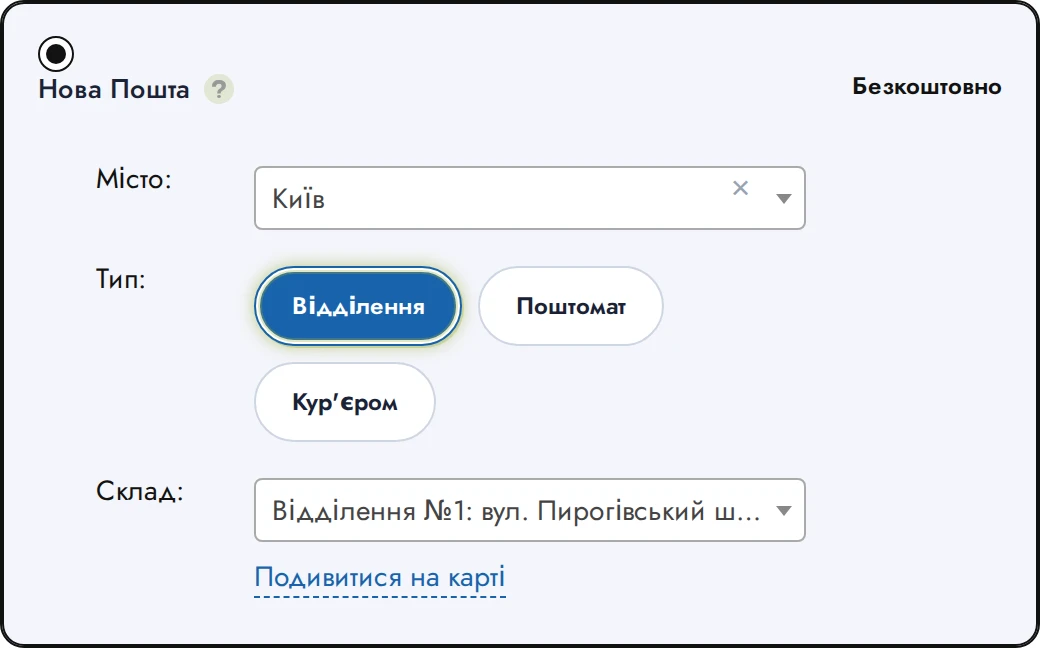
The city field is a search box: the customer types a few letters and picks the city; opening it with nothing typed shows a short list of popular cities. The branch and locker lists come from the Nova Poshta directory cached on the site (refreshed by the Scheduler).
Courier to the door
With By courier selected the branch list disappears and the address fields appear:
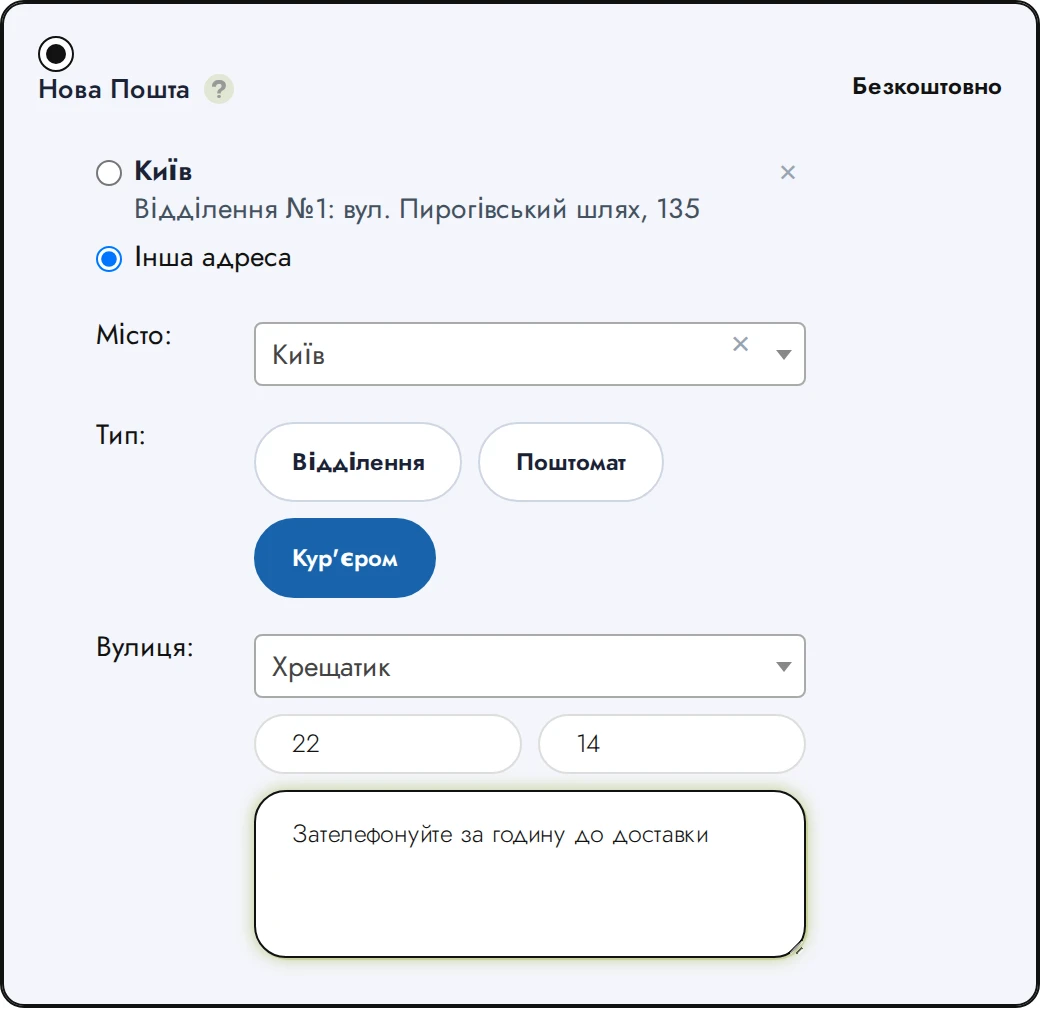
- Street — also a search box, backed by Nova Poshta's own street directory for the selected city. The directory is in Ukrainian, but the customer may type in Russian as well — "Крещатик" finds "Хрещатик", "Пушкина" finds "Пушкіна", the street type ("вул.", "ул.", "шоссе") and word order do not matter. Picking a street from the list is what later makes an automatic waybill to the door possible.
- House — required, together with the street ("Enter the street and the house number" is shown otherwise).
- Flat — optional.
- Delivery note — optional, courier-only (for example "entry code 12, after 6 pm"). It travels into the waybill as its additional information, so the courier sees it; the regular order comment is a separate field.
The order then carries a full address line ("Kyiv | Khreshchatyk st., 5, flat 12"), visible in the admin on the order and on the Nova Poshta waybill form. Creating the waybill — by hand from the order or automatically on a status — uses the To the door service, and the manual form lets the operator switch between To a branch and To the door before sending (see Creating a waybill and Automatic waybills).
Turning courier delivery off
Not every shop ships to the door. In Modules → Nova Poshta → Settings, the "Способи доставки" (Delivery types) card has one switch, "Доставка курʼєром" (Courier delivery). It is on by default. Switched off:
- the third type is not shown in the cart at all — only branch and locker;
- the admin order form loses the courier option too;
- an address smuggled into checkout by other means is rejected, so the switch is a real limit, not a cosmetic one.
Courier from the admin order form
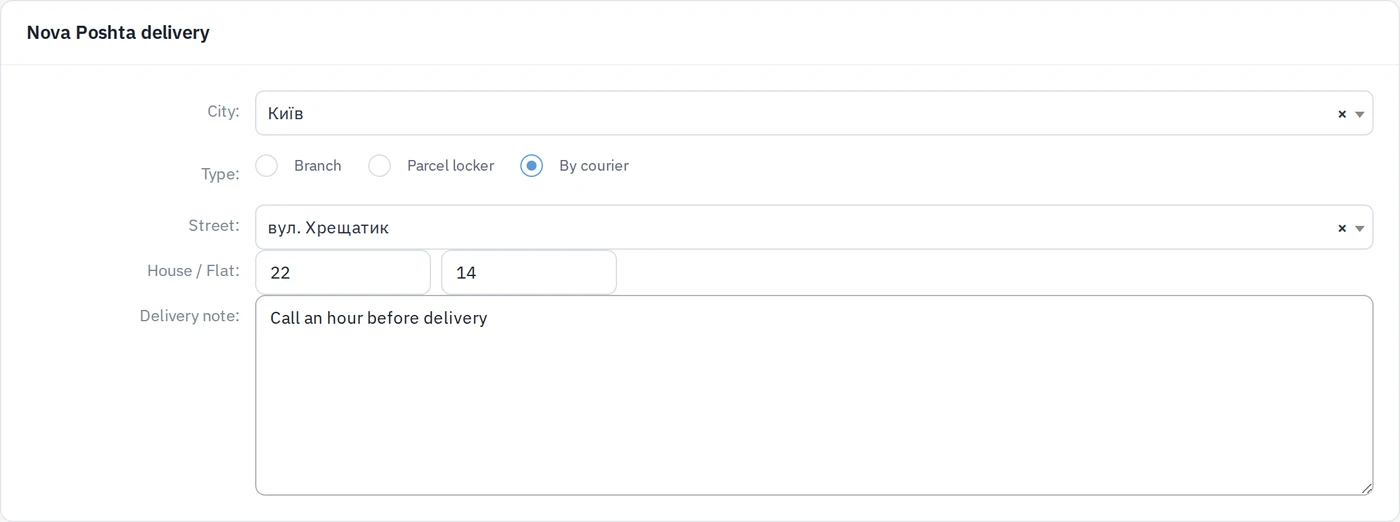
The same Nova Poshta picker sits on the admin order form — both when a manager creates an order from a phone call and when an existing order is edited. It offers Відділення / Поштомат / Кур'єром (branch / locker / courier), with street search, house, flat and the delivery note for the courier option. When editing a courier order the fields are prefilled with what the customer entered, so the manager sees the address and can correct it. An incomplete courier address (street without house, or the other way round) is not saved — the form asks for both.
Saved addresses
A customer who is logged in does not have to search for the branch every time. Every successful checkout with a branch or locker remembers that pickup point for the customer's account (a repeat of the same branch only moves it up the list). At the next checkout, under the Nova Poshta option, the customer sees:
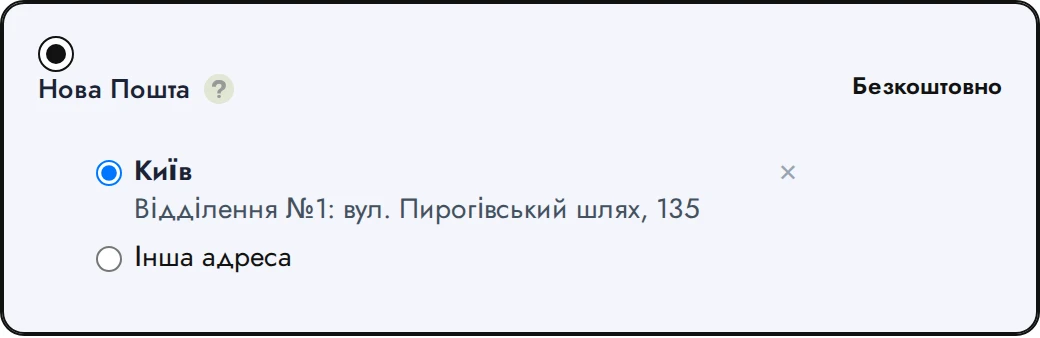
- the most recently used branches first (up to three, with Show all (N) when there are more) — city, type and branch name on one line each;
- Another address — switches to the regular city/branch search;
- × (Remove address) next to each entry — removes it from the list only; past orders are not touched.
Choosing a saved entry fills the city and branch fields exactly as if the customer had picked them, and the order is placed the usual way.
Only branches and parcel lockers are saved. A courier address is typed per order and is not added to the list. Guests see no list — the addresses belong to the account, so the customer has to log in to get them back.
Saved addresses live in one address book for the whole shop, not inside the Nova Poshta module. Another delivery module can store and show its own entries there in the same way, so the customer gets the same "pick from history" behaviour for every carrier that supports it.