Automatic waybills
A waybill can be created by hand for every order — or the module can do it for you the moment an order reaches the right status, and text the customer the tracking number. Everything is configured in Modules → Nova Poshta → Settings.
Default waybill values
The "TTN defaults" card fills the waybill form for you, so nothing has to be re-typed for every parcel:
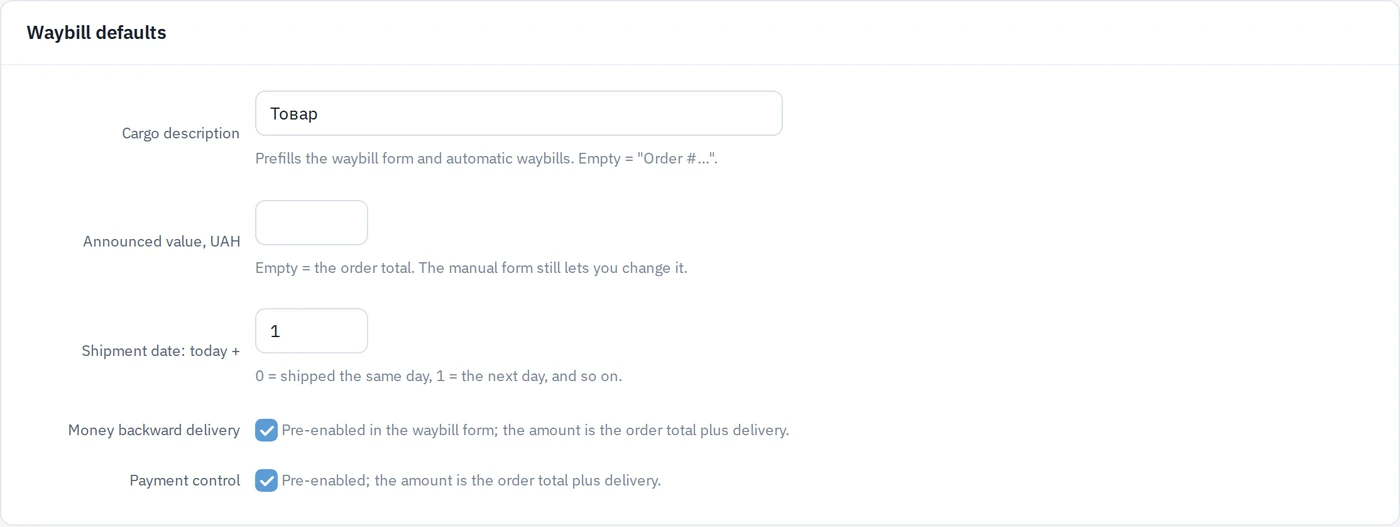
- Cargo description — what goes in the "Description" field (for example "goods" or "samples"). Leave it empty and the order number is used.
- Announced value — leave it empty to use the order total. A fixed number here overrides it.
- Shipment date: today + N days —
0means you hand parcels over the same day,1means the next day, and so on. - Money backward delivery (cash on delivery) — pre-enabled in the form, the amount is the order total plus delivery.
- Payment control — the same, for the post-payment service.
These values are used both when you create a waybill manually (they simply prefill the form and can be changed before creating) and when the module creates one automatically.
Automatic creation
The "Automatic TTN creation" card:
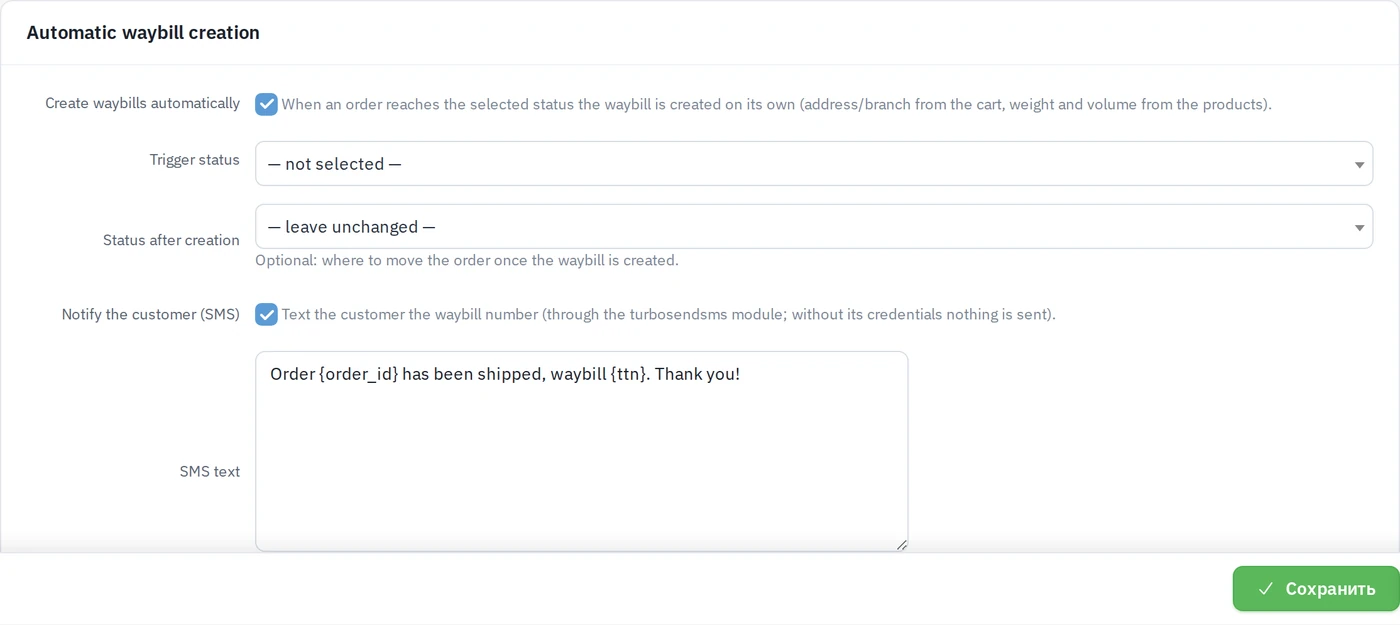
- Create waybills automatically — the master switch.
- Trigger status — the order status that starts it. As soon as an order moves into this status (by hand, in bulk, or from an automation), the waybill is created: recipient and branch come from what the customer chose in the cart, weight and volume from the product dimensions.
- Payment condition — ignore (default), paid orders only or unpaid orders only. With "paid only", an order that is paid after it reached the trigger status gets its waybill at the moment of payment (online payment or the paid mark in the admin panel).
- Status after creation — optional. Move the order onward automatically, e.g. "Shipped". A note with the waybill number is added to the order history.
- Notify the customer (SMS) — sends the tracking number over SMS. Write
your own text with the
{ttn}and{order_id}placeholders, or leave it empty for the standard wording.
Orders delivered by other carriers are ignored. An order that already has a waybill is skipped, so re-entering the trigger status never creates a duplicate. If Nova Poshta rejects the request, the status change still goes through and the reason is written to the log — you can always create the waybill by hand.
Once the waybill exists, its number is also shown on the order edit page in the Waybill / tracking № field, with a Manage waybill button that opens the Nova Poshta module.
Trigger status "Confirmed" → status after creation "Shipped" → SMS on. The manager confirms the order, and everything else happens on its own: the waybill exists, the order is in the right status and the customer already knows the tracking number.
Requirements
- The SMS notification needs the SMS module configured (without its credentials nothing is sent — the waybill is still created).
- The module settings must have the API key, sender counterparty and dispatch branch filled in — the same ones manual creation uses.