Module store and updates
ECMS9 is extended with modules: payment systems, shipping carriers, marketplaces, SEO tools and more. All of this is managed in the Modules section of the admin panel.
Module store
The store lists every module of the ArtexGroup catalog with a description and its current version. Each module's state is shown with a badge:
- Install — the module is available for your license, one click to install;
- Update — appears only when the catalog actually has a newer version than the one you have installed; an up-to-date module simply shows "Installed";
- Updated with the ECMS9 core — the module ships as part of the core and receives updates together with the system; no separate updates needed;
- Coming soon for ECMS9 — the module is still being prepared for the new platform.
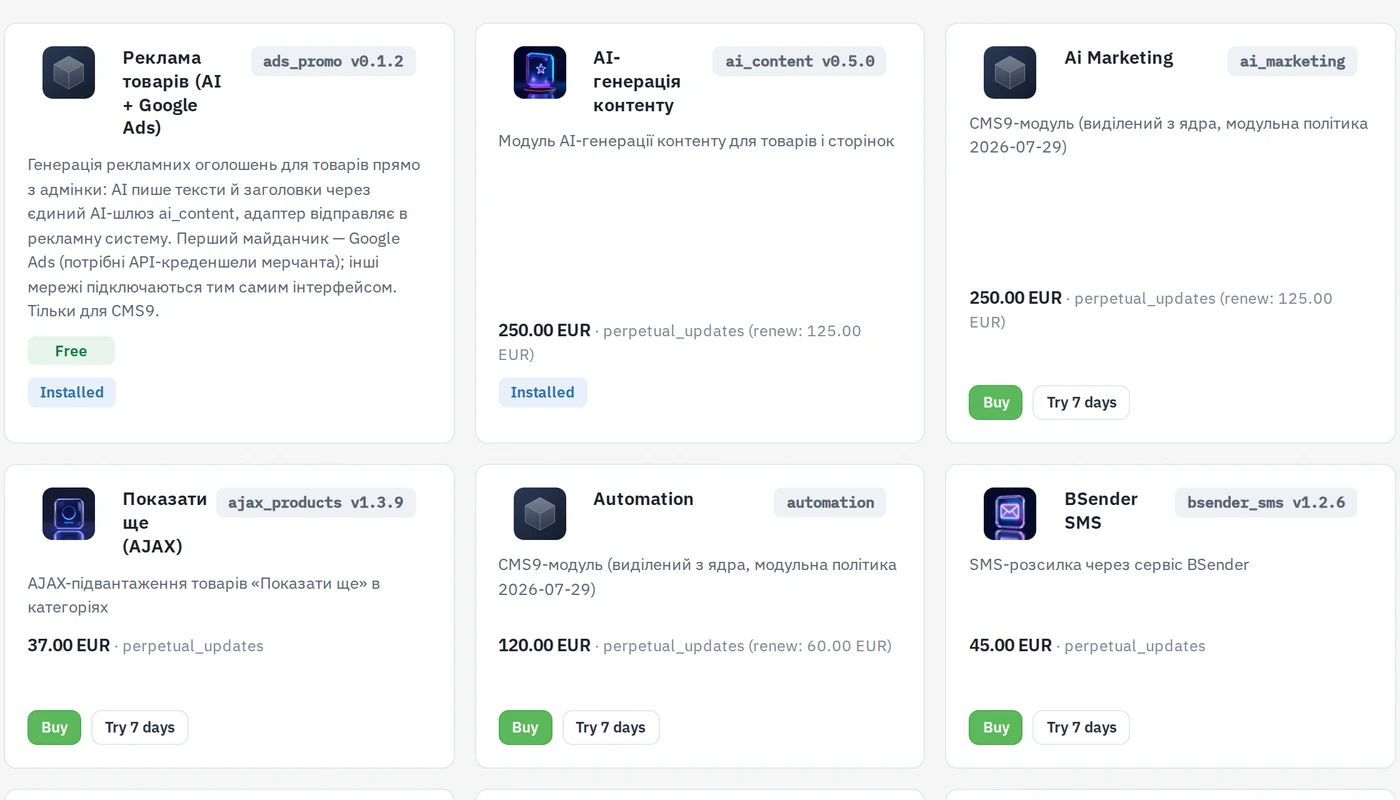
Cards and in-place actions
Since module store 2.0 every module is a card: title and icon on top, the
description and price in the middle, the state badge, and a footer with the
action buttons on the left and the module slug with its version (for example
nova_poshta v1.1.8) as a small pill on the right. The search box above the
list filters the store cards as well as the installed-modules table.
An installed module can be managed right on its card, without leaving the store:
- Disable / Enable — switches the module off or on (the code stays);
- Delete (the trash icon) — after a confirmation the module is removed
from the site; its code is kept in
writable/store_backups/, so a reinstall from the store brings it back.
Modules that ship with the core — CRM, Fiscal (PRRO), UkrSklad, AI marketing, Sauth — appear as ordinary rows in the installed-modules list with the same enable/disable switch (the row name opens the module settings), but they cannot be deleted. Their settings pages no longer clutter the Settings menu: open them from the modules list.
Installed-modules list
The All modules tab groups modules into Important / Regular / Minor (click the star on a row to change the group) and hides system modules by default; the Show system modules link reveals them.
System updates
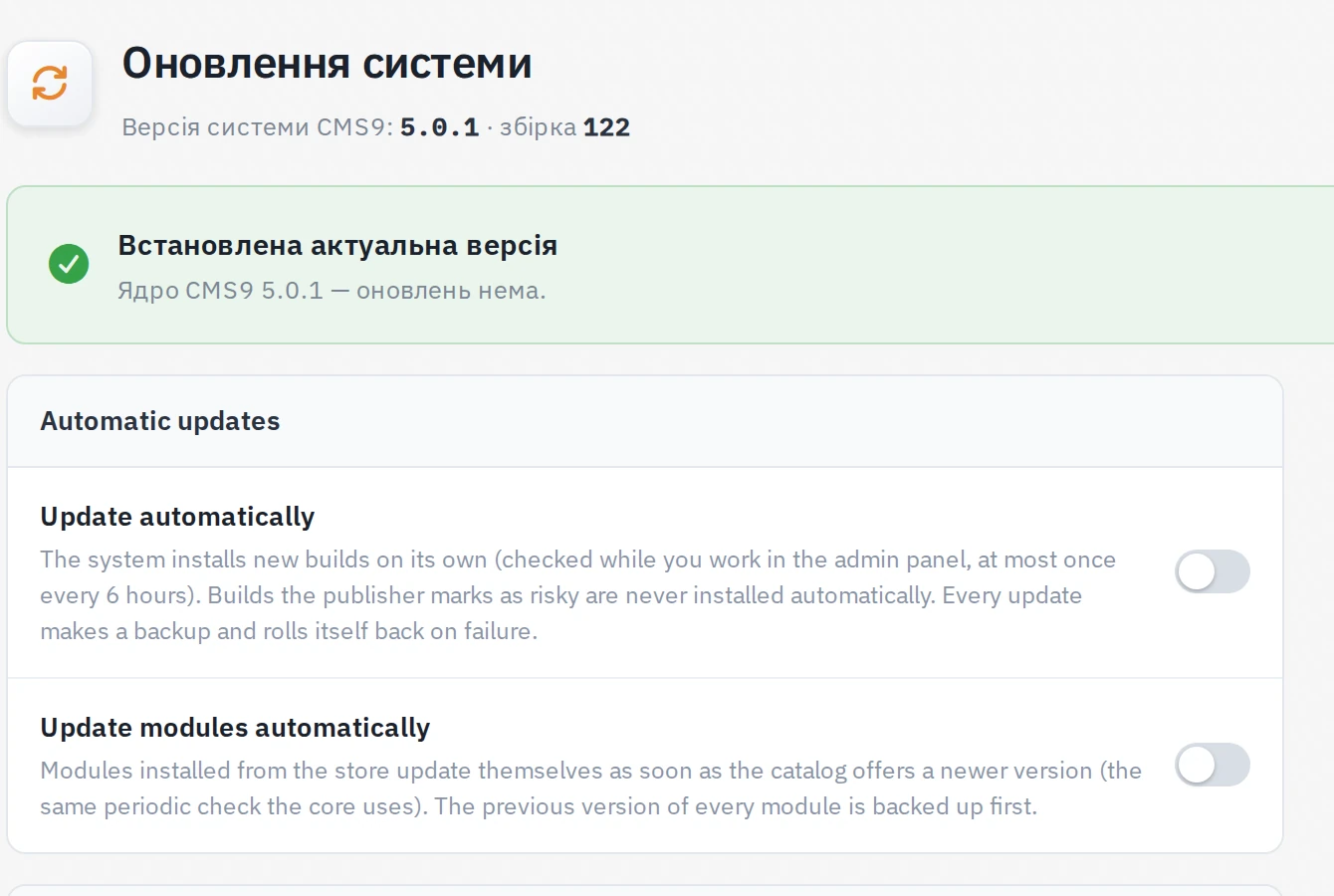
The System update section shows the current core version and checks the update server for new builds.
- Manual update — one button, with a changelog preview.
- Update automatically — the optional switch: the system checks for and applies stable builds on its own. A backup is created before every update, and a failed update rolls back automatically.
- Update modules automatically — a second switch, for the modules you installed from the store. Whenever the catalog offers a newer version of an installed module, it is updated on the same schedule as the core. The previous version of every module is backed up first.
Rolling a module back
If a module update breaks something and no fix has been published yet, the previous version is one command away:
php spark cms9:module-rollback <module>
It restores the copy saved before the last update, keeps the current one aside
(so the rollback itself can be undone) and makes the store offer the newer
version again — so you can update once the problem is fixed. Add --list to
see which backups exist. The core has its own protection: a failed core update
rolls itself back automatically.
Every build passes an automated test gate before publication, and the update server marks whether it is allowed for auto-update. Risky builds are available for manual installation only.
Licenses
Access to the catalog and updates is tied to your site's domain. If a module shows a license error — contact ArtexGroup to activate the domain.