Built-in CRM
ECMS9 ships with a CRM workspace of its own, so day-to-day work with customers
does not need an external system: who bought what and when, every event on a
customer's history, an orders board over statuses, manager to-dos and
reminders. It lives at /admin/crm — a separate screen with its own top bar
(Customers · Segments · Kanban · Tasks · Automation · Telephony · Dialogs)
and a ← Admin panel link back. You reach it by that address, from the
CRM row in the installed-modules list (Modules), or from the
Customer card in CRM link on any order-edit page.
The CRM is marked beta in the top bar: it works, and it is still growing.
Who a "customer" is
The CRM does not keep a separate customer table. It groups the shop's orders:
a registered buyer is one customer regardless of the phone typed on a given
order; a guest is identified by the normalised phone (+380 96 123-45-67 and
0961234567 are the same person), then by e-mail, and only an anonymous
order with neither stays on its own. Orders placed in the admin panel, through
the storefront, in one click, via the Headless API or imported from a
marketplace all land in the same cards.
Customers and the 360° card
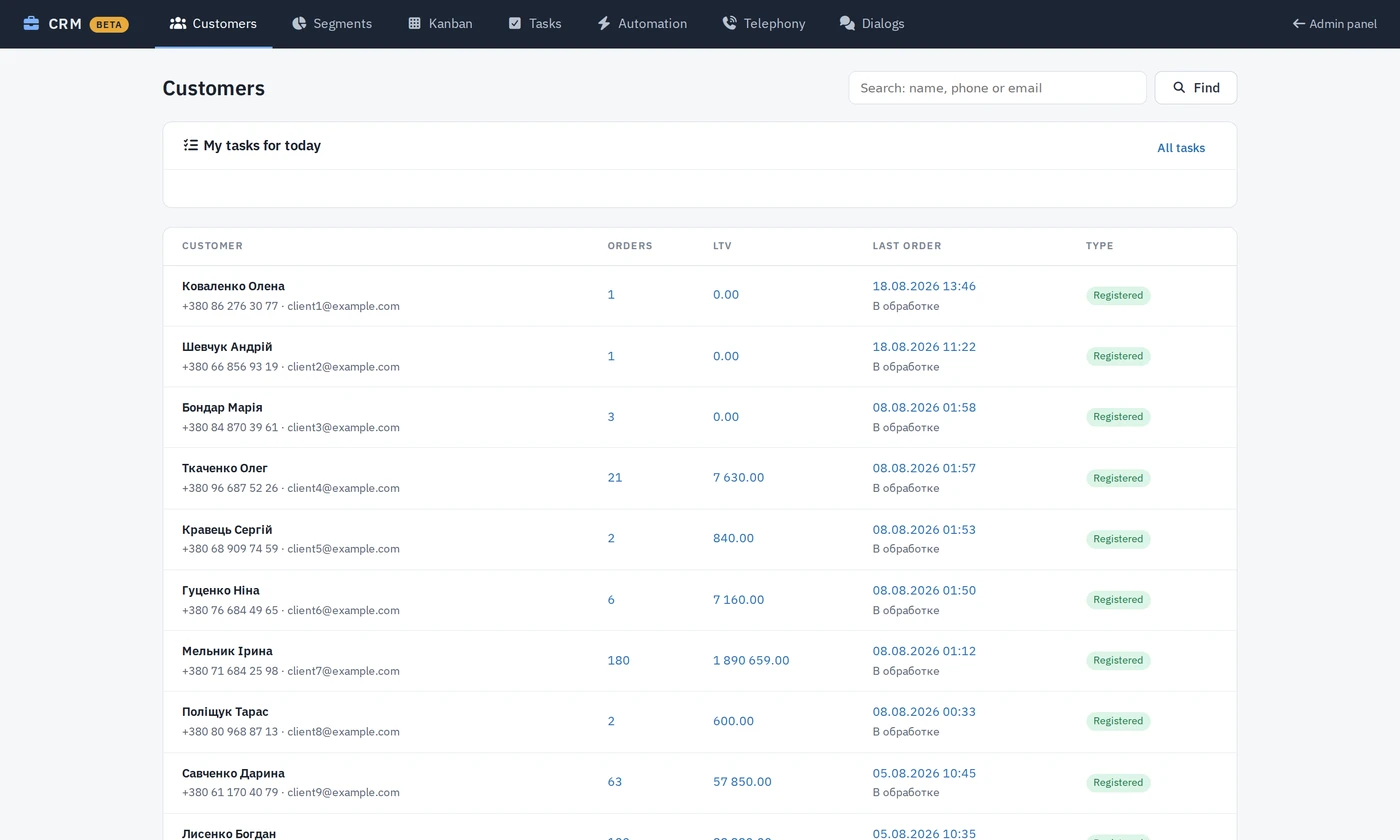
Customers is a searchable list (name, phone or e-mail, 50 per page) with order count, LTV (paid) and the last order. Opening a row gives the card:
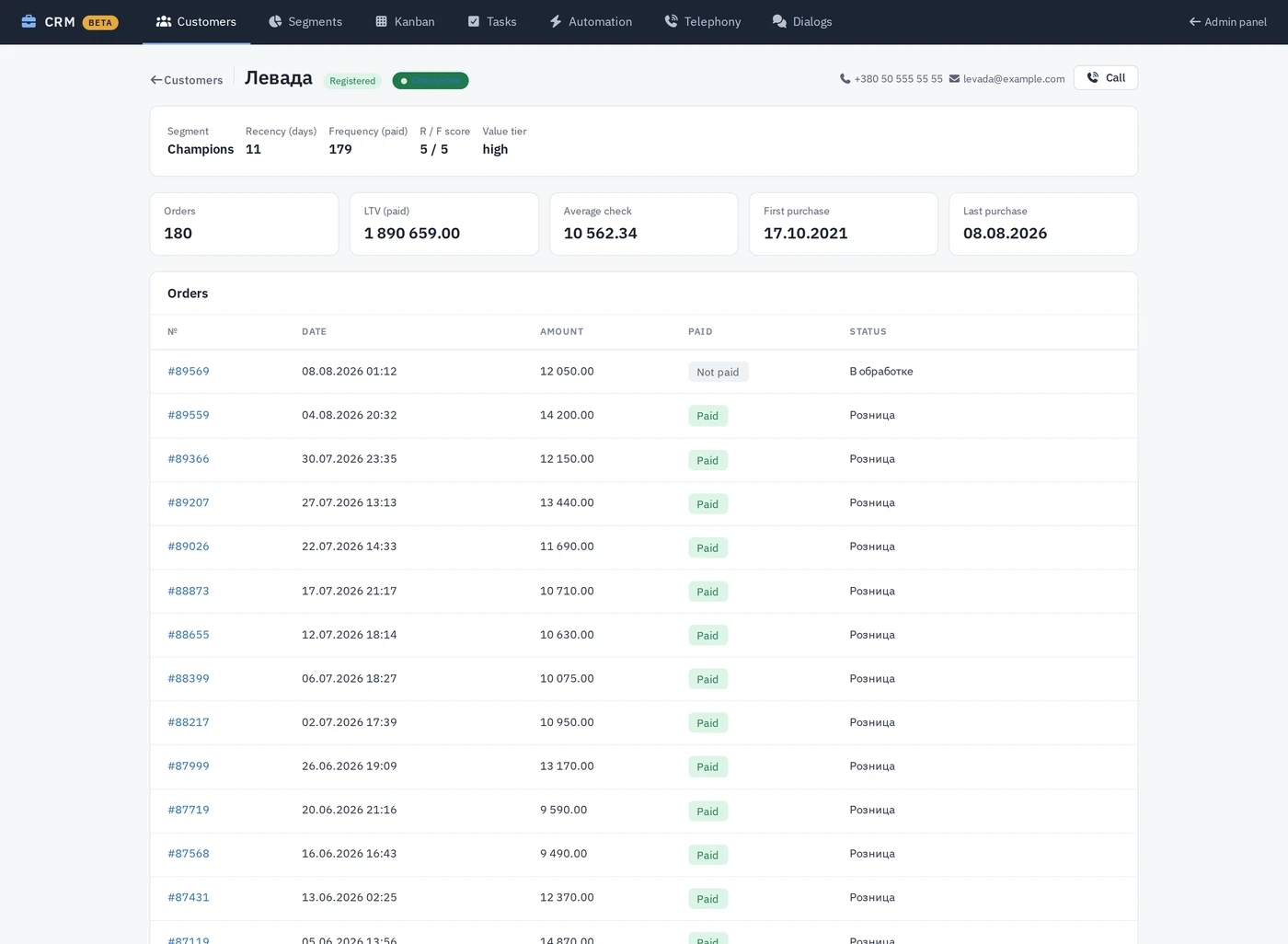
- Aggregates — Orders, LTV (paid), Average check, First purchase, Last purchase. LTV and the average are computed over paid orders only.
- Contacts — name, phone, e-mail from the latest order (or the user profile). A Call button appears next to the phone when the Telephony module is connected.
- Orders — date, amount, paid/not paid, status; each opens the order.
- Timeline — the chronological journal (below).
- Manager notes — free text with author and date; only the author can delete a note.
- Customer tasks — to-dos linked to this customer (see Tasks).
- RFM badge — the customer's segment (see Segments).
Timeline
Events are written by listeners on the shop's own events, so nothing has to
be entered by hand: order created (with the channel — site, admin,
marketplace), payment received from a payment gateway, marked paid /
unpaid by a manager, status changed. Channel modules add their own:
call (Telephony) and message (Messenger). Each entry shows the time,
the order it refers to, the amount and who acted — customer, manager or
system. Run php spark crm:backfill once after enabling the CRM on a shop
with history to fill the journal from existing orders and status history.
Kanban
Kanban is an orders board where columns are order statuses. A shop typically has dozens of statuses, so the board is configurable: Configure columns lets you tick the statuses to show and drag them into order (until you do, a default fulfilment flow is used). Each column shows its total and the newest 50 cards — order number, amount, name, phone, date, paid flag, with links to the order and to the customer card.
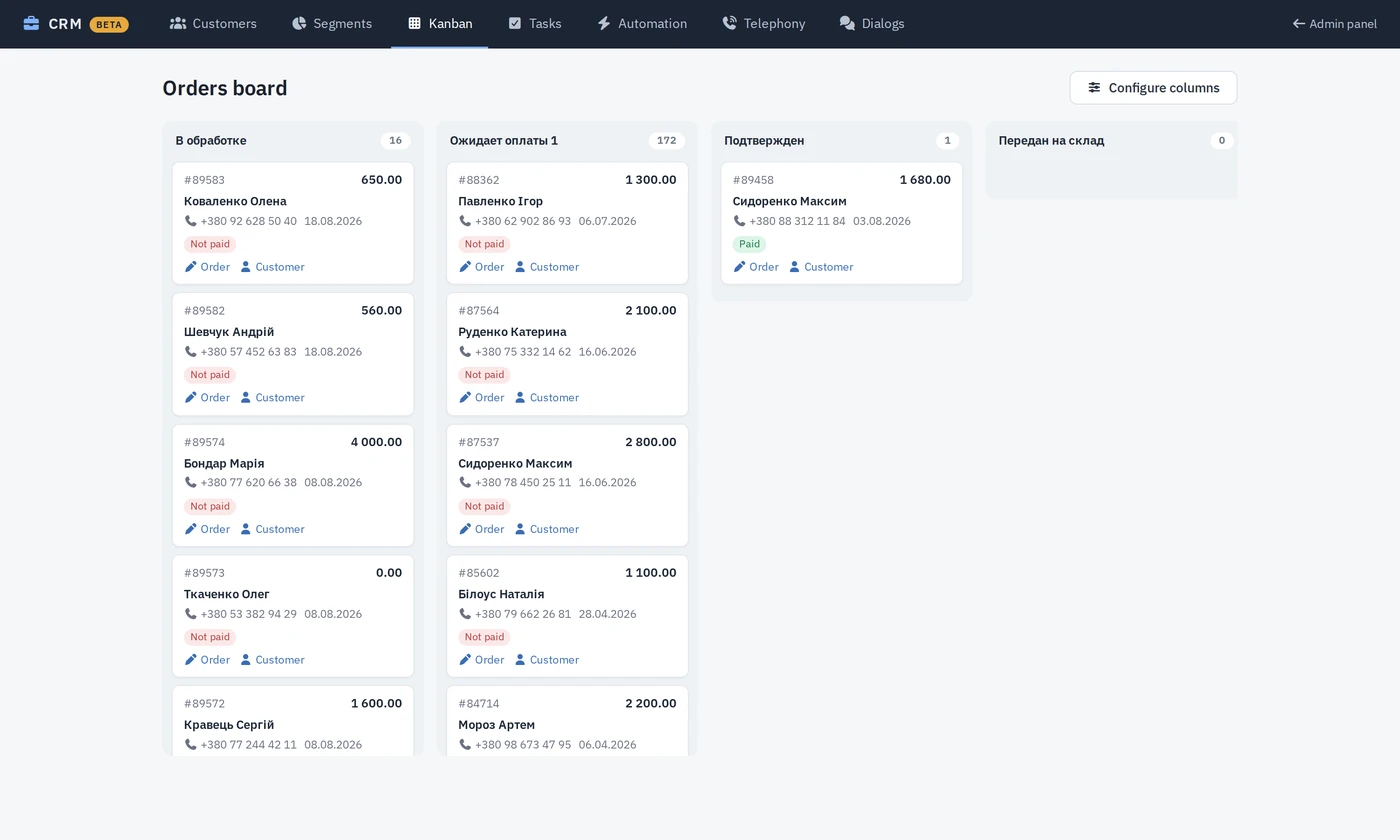
Dragging a card into another column changes the order status through the same pipeline the Orders list uses, so every side effect happens as usual: status history, "paid" rules, notifications, automatic waybills and the automations below.
Tasks and reminders
Tasks are manager to-dos: title, optional details, an optional link to a customer and/or order, an assignee (admin login; empty = anyone) and a due date. The page filters by Open / Overdue / Done / All and Mine / Everyone; the CRM home shows a My tasks for today widget, and a customer card lists that customer's tasks and lets you add one on the spot.
Reminders run through the Scheduler task CRM: task reminders (every 15 minutes): open, assigned, not-yet-reminded tasks that are due within 24 hours or overdue are sent to the Telegram chats of the Telegram order notifications module, if it is configured; otherwise they are only logged. Each task is reminded about once.
Segments (RFM)
Segments scores every customer by Recency (days since the last order: ≤30 / ≤90 / ≤180 / ≤365 / older) and Frequency (paid orders: ≥10 / ≥6 / ≥3 / ≥2 / 1) and places them into one of eleven segments — Champions, Loyal, Potential loyalist, New, Promising, About to sleep, At risk, Can't lose, Hibernating, Lost (plus an "Others" bucket that should stay empty). The overview shows counts and shares (cached for an hour); clicking a segment lists its customers. Monetary is shown as a value tier (high / mid / low by LTV) on the card but does not change the segment. A segment can be used as a condition in an automation rule.
Add-on modules
The following are installed separately from the Module store and plug into the same workspace:
| Module | What it adds |
|---|---|
Automation (/admin/automation) | Rules trigger → conditions → delay → action. Triggers: order created, order paid, order status changed, and scanned ones — order unpaid too long, cart abandoned, customer idle. Conditions: order status, payment method, paid state, min/max total, channel, CRM segment, idle days. Actions: send e-mail, send SMS, create CRM task, change order status, Telegram notification, webhook (POST). Delayed actions wait in the job queue and are re-checked before firing. Four ready recipes ship switched off: unpaid reminder, review request after delivery, abandoned cart, reactivation of idle customers. Runs via the Scheduler tasks Automations: run due actions and Automations: scan for triggers. |
Marketplace (/admin/marketplace) | Order import from Rozetka, Prom and OLX accounts into the normal order pipeline (default status, delivery and payment method per account, SKU mapping, deduplication) and status push-back by a site-status → marketplace-status map. Scheduler task Marketplaces: import orders (every 10 minutes) plus Sync now. |
Telephony (/admin/telephony) | Binotel driver: incoming calls pop a toast in the admin panel and are written to the timeline as call; Call on the customer card rings the operator's extension, then the client. Recent calls list. |
Messenger (/admin/messenger) | Telegram bot dialogs: customers write to the bot, messages appear in Dialogs and in the timeline as message; operators reply from Dialogs. A contact links to a customer card once they share their phone. |
The marketplace, telephony and messenger drivers were built against the providers' published APIs; confirm the first import / call / message on your own account before relying on them.
Access
The CRM workspace is behind the same admin login as the rest of the panel. Its pages are not registered as separate privileges in Users management → RBAC control, so with role-based access configured only the Administrator role can open them; other roles are redirected to the "permission denied" page. Switching the CRM row off in Modules hides the workspace (404) and stops the journal.